




Not a generic meeting bot

Jobclue - The interview copilot for job hunters.

A desktop app that listens to your interviewer, suggests answers in real time, lets you practice with AI mock interviews, and gives you scored reports after every session.

Create free account

Linux — Coming Soon

  • Live interview assistance
  • Mock interview with scoring
  • Detailed evaluations & ratings
  • Downloadable transcripts & reports
Interview — Zoom Meeting
Interviewer
John (Interviewer)
You
You

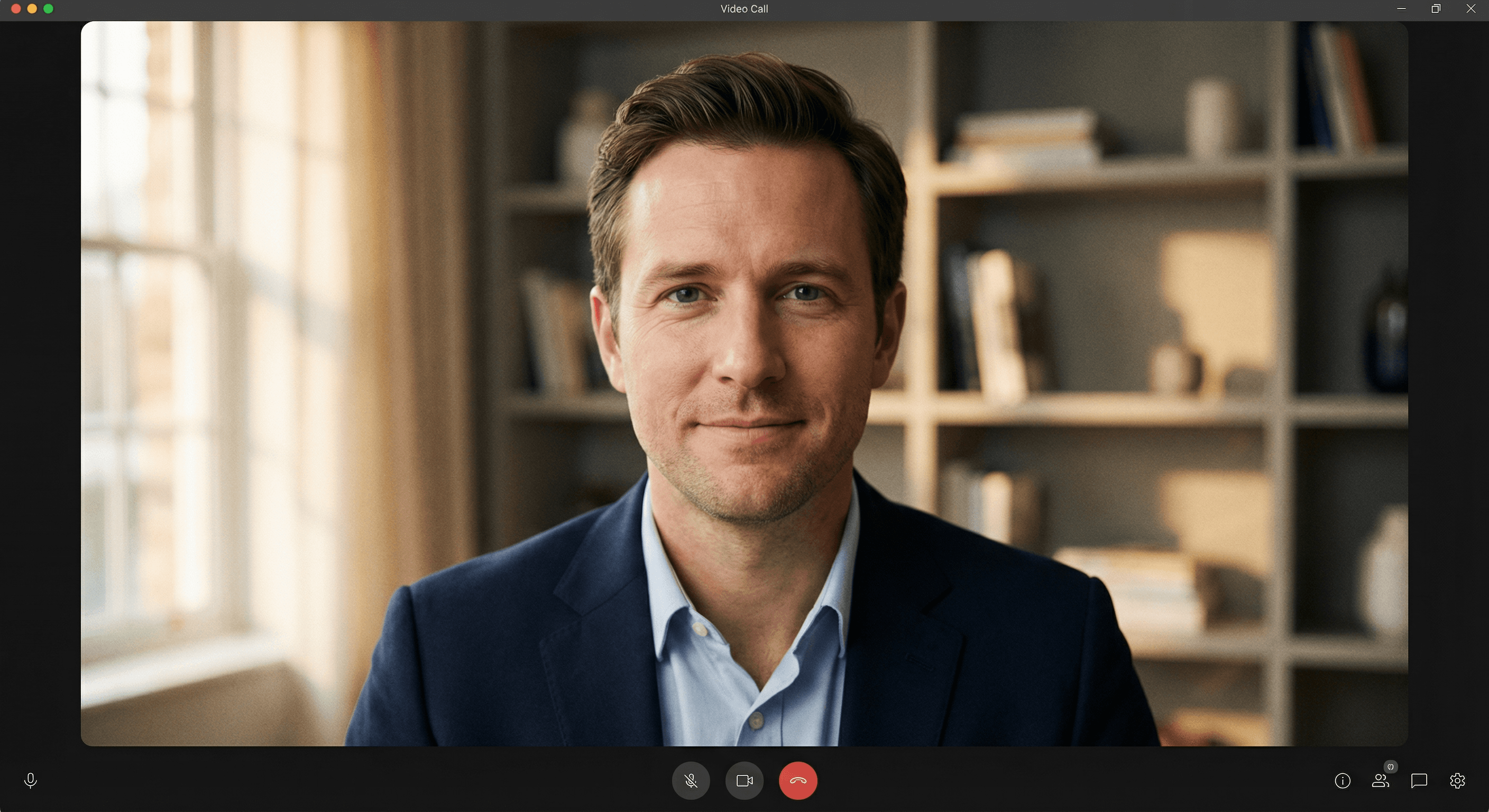
Real product video

Real interview help first, mock interview practice second.

5,000+

Interview sessions completed

4.8/5

Average user rating

3x

More offers reported

100%

Free to start

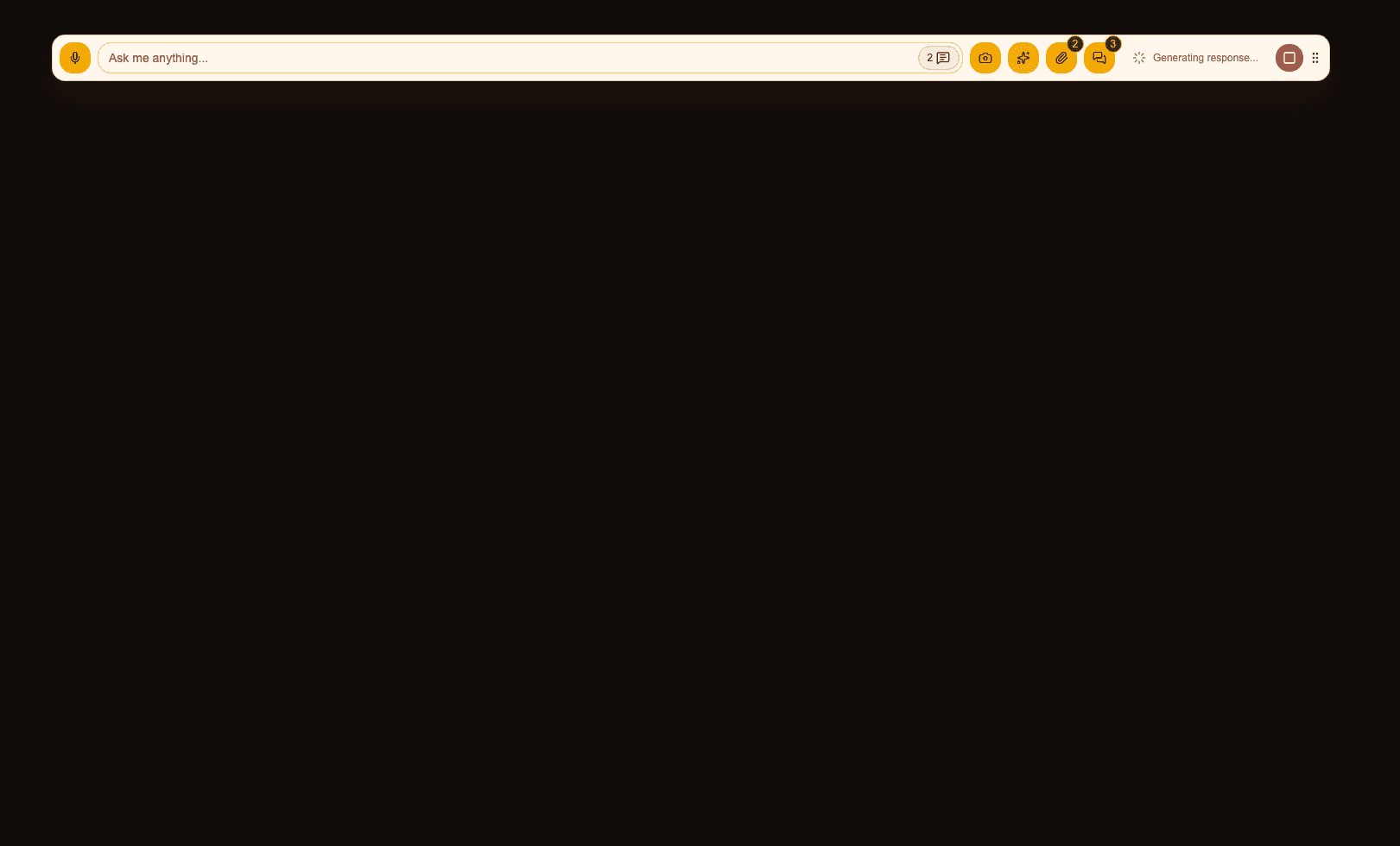
A compact sidebar overlay that stays beside your interview

Jobclue runs as a compact desktop app window. The sidebar overlay captures audio, lets you attach image context, and gives you real-time help without taking over the call.

One compact sidebar overlay. Every tool you need.

The overlay keeps the live controls close without forcing you to switch away from the call.

🎙️

Listens to your interviewer

Captures system audio + mic in real time

📸

Screenshot & screen share

Snap anything on screen for AI context

📎

Attach image context

Add screenshots and image files for better answers

💬

Full conversation history

Scroll back through every exchange

🎯

Real interview mode

Live help while you talk to the interviewer

🤖

AI mock interview mode

Practice rounds with scoring & feedback

What the real app looks like on your desktop

Interviewer
John (Interviewer)
You
You
Real Jobclue sidebar overlay on top of a live interview

Live session state

Real Jobclue sidebar overlay while listening

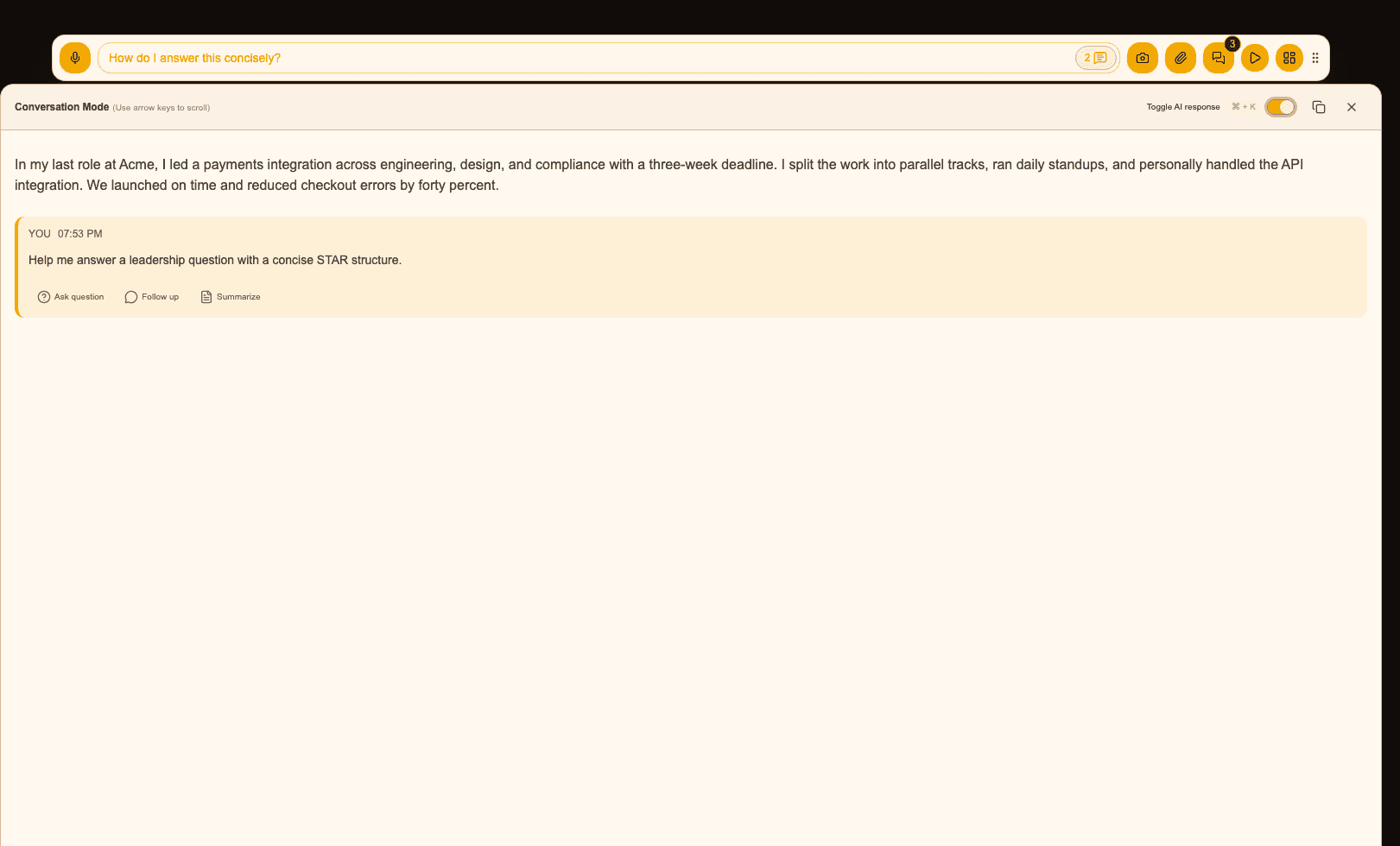
AI response window

Real Jobclue AI response window

Works with every video call app

Jobclue captures your system audio directly — it doesn't need integrations or plugins. If you can hear the interviewer, Jobclue can too.

ZoomZoom
Google MeetGoogle Meet
TeamsTeams
WWhatsApp
WWebEx
FFaceTime
SlackSlack
+Any other app
PPhone calls

Walkthrough

Prefer a calmer step-by-step product tour?

The full walkthrough now moves screen by screen through the website and the desktop app. It covers upgrades, billing, activity, profile, security, privacy, the sidebar overlay controls, sessions, chats, settings, and the mock-interview flow without cluttering the screen.

Website setup

1.5 min

Homepage, signup, desktop download, plans, and upgrades.

Web workspace

2 min

Dashboard, activity, personalize, profile, security, privacy, and billing.

Sidebar overlay

3.5 min

A separate step for each overlay control, from mic to drag handle.

Desktop app functions

2 min

Sessions, chats, app settings, responses, screenshot, audio, and shortcuts.

See what Jobclue actually does

Whether you're in a real interview, practicing for one, or figuring out your next career move — pick a feature to see how it works.

How it works

Real interview help

During an actual interview, Jobclue listens to the interviewer through your system audio and gives you suggested answers you can use — without the interviewer ever knowing.

Sample output

Interviewer via system audio

"Tell me about a time you had to lead a cross-functional project under a tight deadline."

Suggested answer ready in ~2s

"In my last role at Acme Corp, I was asked to coordinate the launch of a new payments integration across engineering, design, and compliance. We had 3 weeks. I set up daily standups, broke the work into parallel tracks, and personally handled the API integration. We shipped on time and reduced checkout errors by 40%."

You choose when to ask for help — Jobclue never talks over you.

  • Captures the interviewer's questions via system audio in real time
  • Click "Get AI Answer" whenever you need help with a question
  • Answers are written in your voice using your resume and job description
  • Works quietly alongside Zoom, Meet, Teams, or any video call

After every session, you get real reports

When you stop a session, Jobclue automatically generates reports you can read, export, and share — so you actually learn from every interview.

Full Transcript

A word-for-word record of everything that was said — yours and the interviewer's.

AI Summary

A quick overview of what was covered, what went well, and where you can do better.

Scored Evaluation

For mock interviews: each answer is scored individually with strengths, weaknesses, and tips.

Better Answers

See exactly what you should have said — suggested answers for every question you struggled with.

Ready to ace your next interview?

Prepare better. Perform better. Convert interviews into offers.

Join thousands of job hunters using Jobclue to get real-time answer support, practice with AI mock interviews, and improve with detailed post-session evaluations.

Free plan includes a one-time 1 hour interview quota

Frequently Asked Questions

How does the real-time assistance work?

Jobclue listens to your computer's system audio in real-time. When an interviewer asks a question, our AI analyzes it alongside your resume and job description to suggest a perfect, tailored answer in seconds.

Is it detectable by the interviewer?

No. Jobclue is a standalone desktop app that captures audio internally. It does not inject itself into Zoom, Teams, or Meet, so interviewers cannot see that you are using it.

What platforms does Jobclue support?

Jobclue is available for macOS (both Apple Silicon and Intel) and Windows. A Linux version is coming soon.

Can I use it for mock interviews?

Absolutely. Jobclue features a dedicated Mock Interview mode where an AI interviewer speaks to you, listens to your responses, and provides a detailed scorecard with tips for improvement.